
Migrate to Supabase.com
Migration Workflow
Create a target Supabase project
Sign in to supabase.com and create a new project. This will be the destination for your migrated backend.
Connect source and target in Staticbot
In the Staticbot dashboard, connect both your source project (from the AI builder) and your new Supabase.com target via OAuth. Then start a migration.
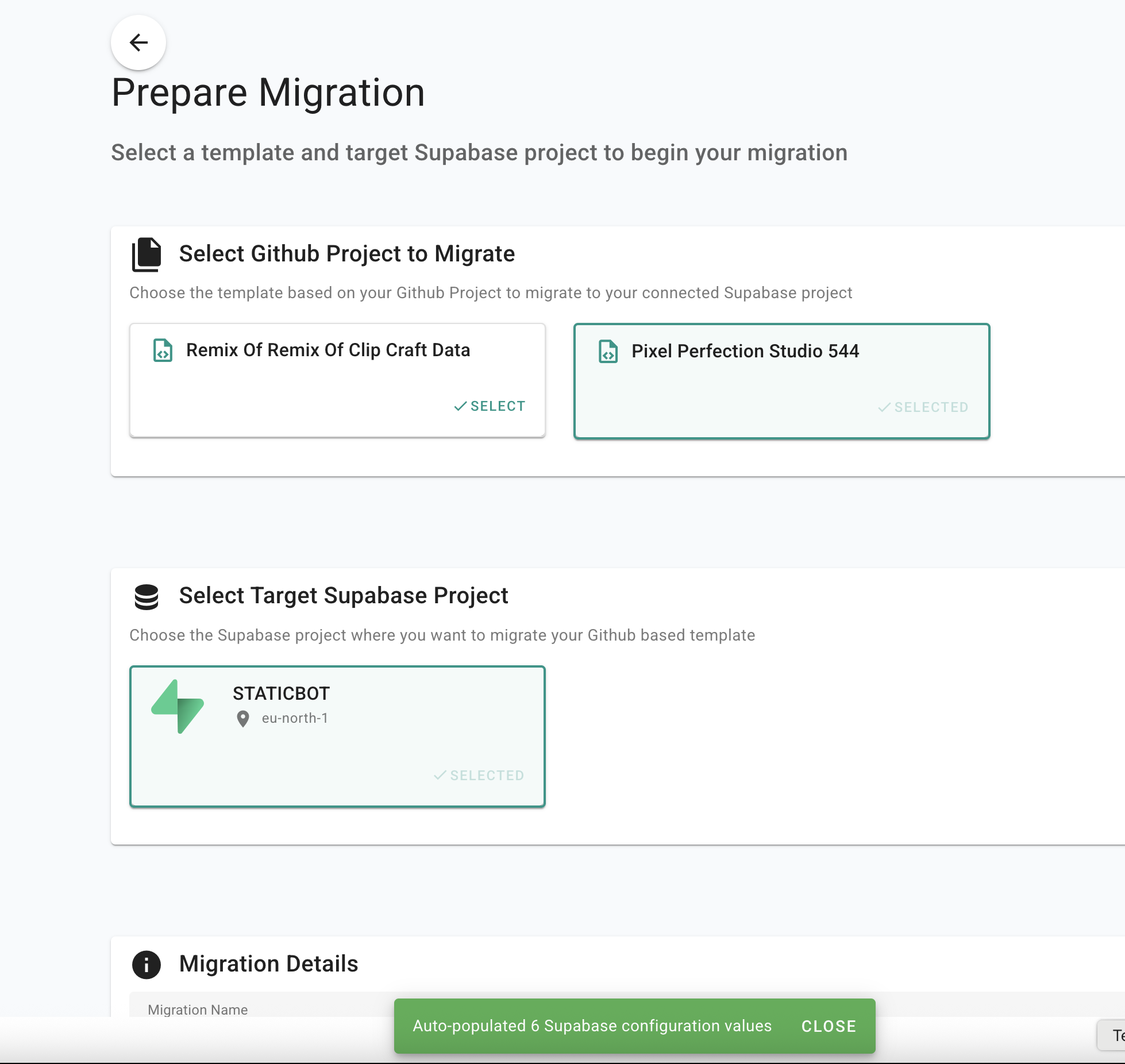
Staticbot discovers and migrates everything
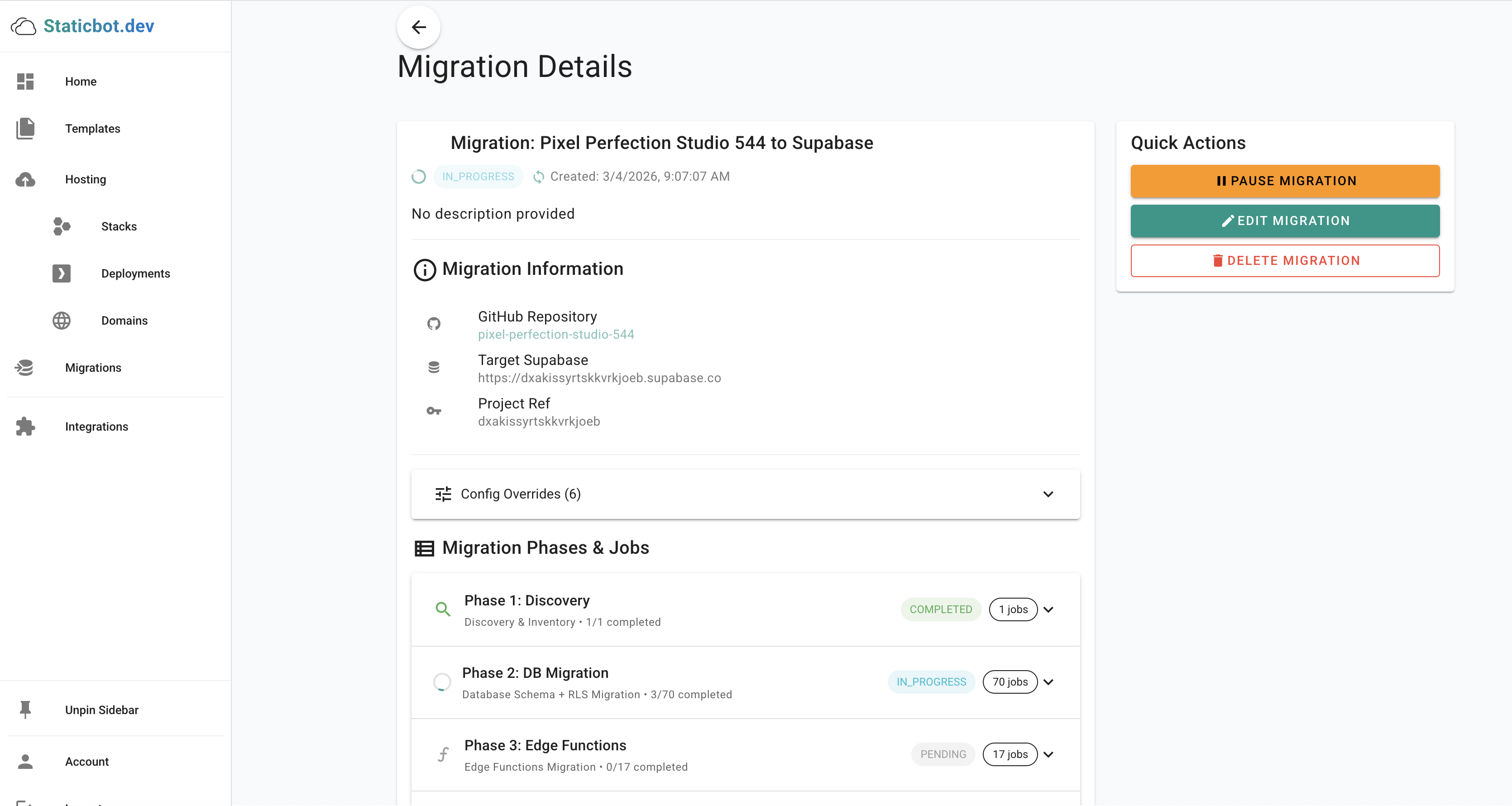
Staticbot runs an automated pipeline: project discovery, database schema (restored from an official Lovable Cloud Data export where one exists, otherwise replayed from your SQL migration files), data import, edge functions, storage buckets, auth configuration, backend switchover, and a verified preview deployment — with AI troubleshooting if anything goes wrong.
Track progress in real time
Monitor every phase and job in the migration detail view. Retry or skip individual steps if needed, and review AI-suggested fixes for any failures.
What gets migrated
- Database schema & data
- Edge Functions
- Storage buckets & policies
- Auth configuration
- Backend env var switchover
- RLS policies & triggers
Why Supabase.com?
- Managed infrastructureSupabase handles PostgreSQL upgrades, backups, and scaling for you.
- Generous free tierTwo free projects with 500 MB database, 1 GB storage, and 500K edge function invocations.
- Dashboard & StudioFull web dashboard, SQL editor, auth management, and realtime inspector built in.
- Fastest path to productionNo servers to maintain. Migrate and ship — you can always self-host later.