

Migrate from Firebase to Supabase
This guide covers migrating your application from Firebase (Firestore, Firebase Auth, Firebase Storage, Cloud Functions) to your own Supabase instance — giving you a relational SQL database, full control over your data, and open-source infrastructure.
Choose Your Approach
Manual Migration
Follow 7 steps to migrate your Firebase backend yourself. Full control, requires developer time.
Automated with Staticbot
RecommendedStaticbot handles the complex technical steps automatically. Schema, edge functions, storage, and auth — all in a guided dashboard.
Automate the hard parts of your migration
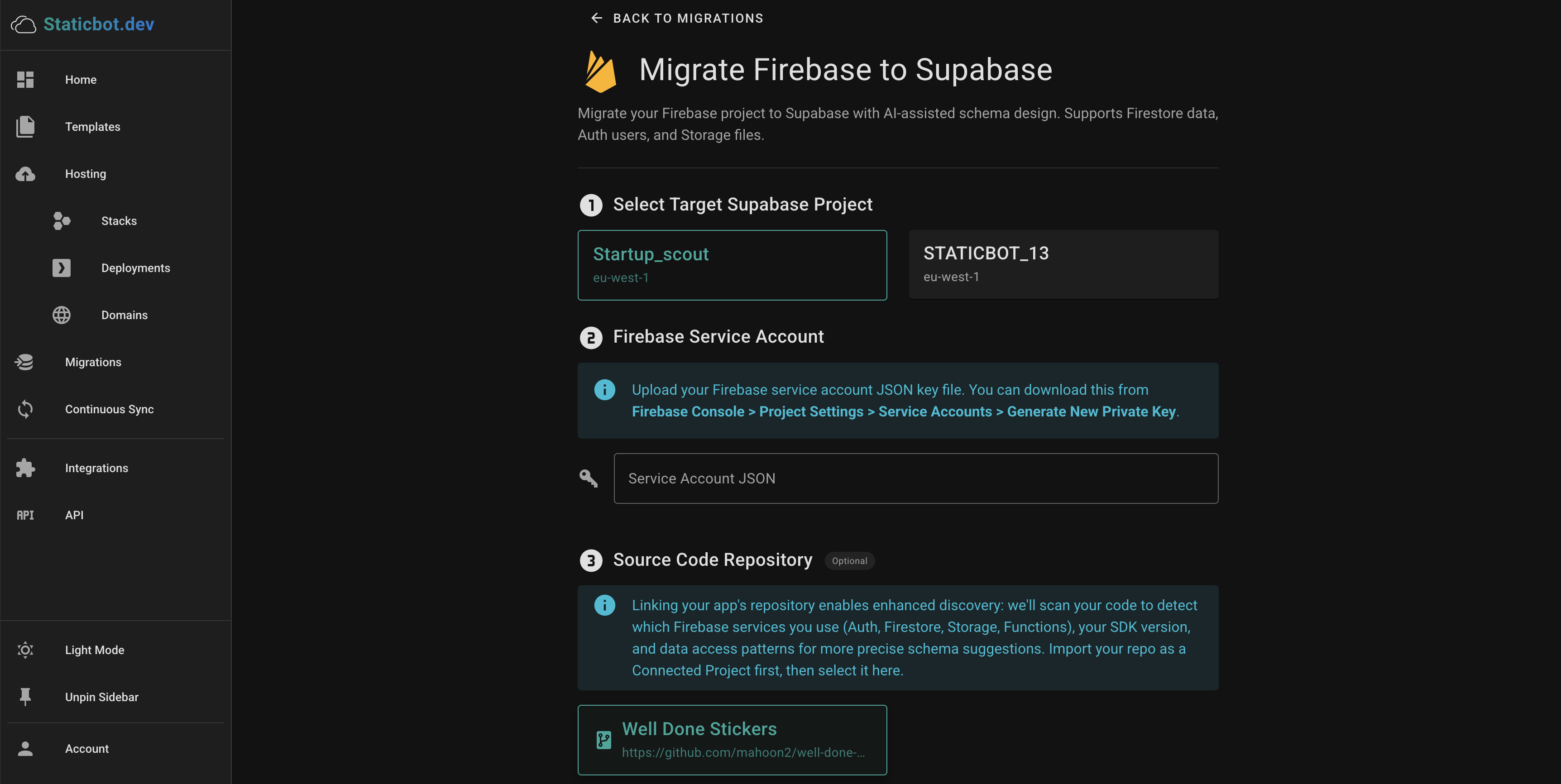
Instead of manually designing SQL schemas and rewriting every SDK call, Staticbot's Migration tool connects to your Firebase project, maps your Firestore collections to relational tables, and executes each phase automatically — with full visibility into what's happening at every step.
Automatically inventories your Firebase project collections and config
Maps Firestore collections to PostgreSQL tables with typed columns
Converts Cloud Functions to Supabase Edge Functions automatically
Recreates your Firebase Storage bucket structure in Supabase
Migrates Firebase Auth users and custom claims to Supabase Auth
Exports Firestore documents and imports them into PostgreSQL tables
AI diagnoses failed jobs and suggests fixes you can apply in one click
Real-time status for every step of the migration
AI Troubleshooting
NewWhen a migration job fails, click the AI button to get an instant diagnosis. The AI analyzes the error, reads your migration files, and suggests a concrete fix — often a corrected SQL statement you can apply with one click.
- Analyzes error context and migration files
- Suggests corrected SQL you can review
- One-click apply and automatic retry
Automated Data Migration
NewNo more manual Firestore exports and SQL inserts. Staticbot automatically exports your Firestore documents and imports them into the target Supabase project — handling nested fields, collection ordering, and foreign key dependencies for you.
- Automatic export from Firestore collections
- Dependency-aware import ordering
- No manual JSON-to-SQL mapping required
"Staticbot completely automated my migration, which had previously seemed like an overwhelming project. The automation performed flawlessly and saved me hours of work and a lot of stress, so I'm grateful to have this tool available for future projects."
-- Seth
Manual migration
7-Step Guide
Prerequisites
- New Supabase project created (note the project ref and service role key)
- Supabase CLI installed and authenticated
- Firebase CLI installed and authenticated
- Firebase service account JSON key (Firebase Console → Project Settings → Service Accounts)
- Node.js 18+ and Python 3.9+ installed
1Auth Migration
Firebase Auth and Supabase Auth both support email/password, OAuth providers, and custom tokens — but the user records live in different formats. The most reliable approach is a batched SQL INSERT directly into auth.users via the Supabase Management API.
Password hashes cannot be directly transferred
Firebase uses a modified SCRYPT hashing algorithm. Supabase uses bcrypt. You have two options: (1) require all users to reset their password on first login, or (2) use a Supabase Auth Hook to verify Firebase SCRYPT hashes during a transition period while users gradually re-authenticate.
Export Firebase users
Insert into auth.users via SQL
Using the Supabase Management API SQL endpoint or psql, batch-insert users directly. This handles all provider types (email, Google, GitHub, phone, anonymous) — not just email/password.
Batch 100 users per INSERT for performance. Use ON CONFLICT DO NOTHING so re-runs are safe.
Create a UID mapping table
Firebase UIDs are strings; Supabase uses UUIDs. Create a mapping table so you can update foreign keys in your data tables after import.
Update OAuth redirect URIs
In your OAuth provider settings (Google, GitHub, etc.), add your new Supabase callback URL: https://<project>.supabase.co/auth/v1/callback
2Schema Design — NoSQL to SQL
Firestore is a document database with nested collections. Supabase uses PostgreSQL — a relational database. Start by sampling documents from each collection to understand the field types, then design your tables.
Mapping principles
- Each top-level Firestore collection → a PostgreSQL table
- Subcollections → separate tables with a foreign key to the parent
- Deeply nested objects and arrays →
JSONBcolumns (migrate fast, normalize later) - Add a
firebase_doc_id TEXTcolumn to every table to preserve the original Firestore document ID
Firestore → PostgreSQL type mapping
| Firestore type | PostgreSQL type |
|---|---|
| string | TEXT |
| number | NUMERIC |
| boolean | BOOLEAN |
| timestamp | TIMESTAMPTZ |
| geopoint | JSONB |
| reference | TEXT |
| map / object | JSONB |
| array | JSONB |
Create migrations
Write your CREATE TABLE statements in the generated file, then push:
3Data Export / Import
Process one collection at a time to limit peak memory usage. For large collections (100k+ docs), use streaming with a library like stream-json instead of loading everything into memory.
Export from Firestore
Use the Firebase Admin SDK to stream each collection. Supabase provides a reference tool firestore2json you can use or adapt:
Alternatively, use the Admin SDK directly in Python or Node.js to iterate collection.stream() and serialize each document.
Transform and import to Supabase
For each document, transform Firestore-specific types before inserting:
- Top-level Timestamps → ISO 8601 strings (for
TIMESTAMPTZcolumns) - Nested Timestamps inside JSONB → keep as
{_seconds, _nanoseconds}for lossless storage - GeoPoints →
{latitude, longitude}objects in JSONB - DocumentReferences → the document path as a string
- Store the original Firestore doc ID in the
firebase_doc_idcolumn
Insert in batches (500 rows per request) via the Supabase PostgREST API or psql COPY.
Import in dependency order — parent tables before child tables — to avoid foreign key constraint errors.
4Storage Migration
Firebase Storage and Supabase Storage both expose file storage with access-control rules. Copy files in paginated batches to avoid loading the entire file list into memory.
Create matching Supabase buckets
Preserve your Firebase bucket names as Supabase bucket names for easier URL migration.
Download and upload files
List blobs in pages (100 at a time), skip folder entries (paths ending with /), and upload with upsert for idempotent re-runs.
URL-encode file paths with special characters. The x-upsert: true header means you can safely re-run the upload without duplicates.
Recreate storage policies
Replace Firebase Storage security rules with Supabase RLS policies on the storage.objects table.
5Cloud Functions to Edge Functions
Firebase Cloud Functions run on Node.js with the Firebase Admin SDK. Supabase Edge Functions run on Deno with the Supabase client.
Create a new edge function
Key changes when rewriting
- Replace
admin.firestore()withsupabase.from('table') - Replace
admin.auth()withsupabase.auth.admin - Replace Firestore triggers with Supabase database webhooks or pg_net
- Use
importsyntax with full URLs (Deno, not npm)
Deploy all functions
6Client SDK Replacement
Replace the Firebase JavaScript SDK with the Supabase client across your frontend and any server-side code.
Install Supabase client
SDK mapping reference
| Firebase | Supabase |
|---|---|
| getAuth(app) | supabase.auth |
| signInWithEmailAndPassword | auth.signInWithPassword |
| getFirestore(app) | supabase.from('table') |
| getDoc / getDocs | .select() |
| addDoc / setDoc | .insert() / .upsert() |
| updateDoc | .update() |
| deleteDoc | .delete() |
| onSnapshot | .channel().on() |
| getStorage / ref | supabase.storage.from() |
Update environment variables
- VITE_SUPABASE_URL
- VITE_SUPABASE_ANON_KEY
7Frontend Deploy
Verify locally
Hard refresh your browser and verify network requests are hitting the new Supabase instance. Test auth flows, data reads/writes, and file uploads.
Build and deploy
git add .
git commit -m "feat: Migrate from Firebase to Supabase"
git push origin main
Deploy your static frontend to AWS using Staticbot — no server configuration required.
Post-Migration Checklist
Ready to Deploy the Frontend?
Now that your app is on Supabase, host the frontend on AWS with zero configuration using Staticbot.
View Deployment GuidesPrefer the automated path?
Let Staticbot handle the migration for you
Staticbot handles the technical heavy lifting automatically. Connect your Firebase and Supabase projects, confirm each phase in a dashboard, and you're done — no CLI required.
~20
minutes
4–8 hrs
manual
What gets automated