
Migrate to Self-hosted Supabase
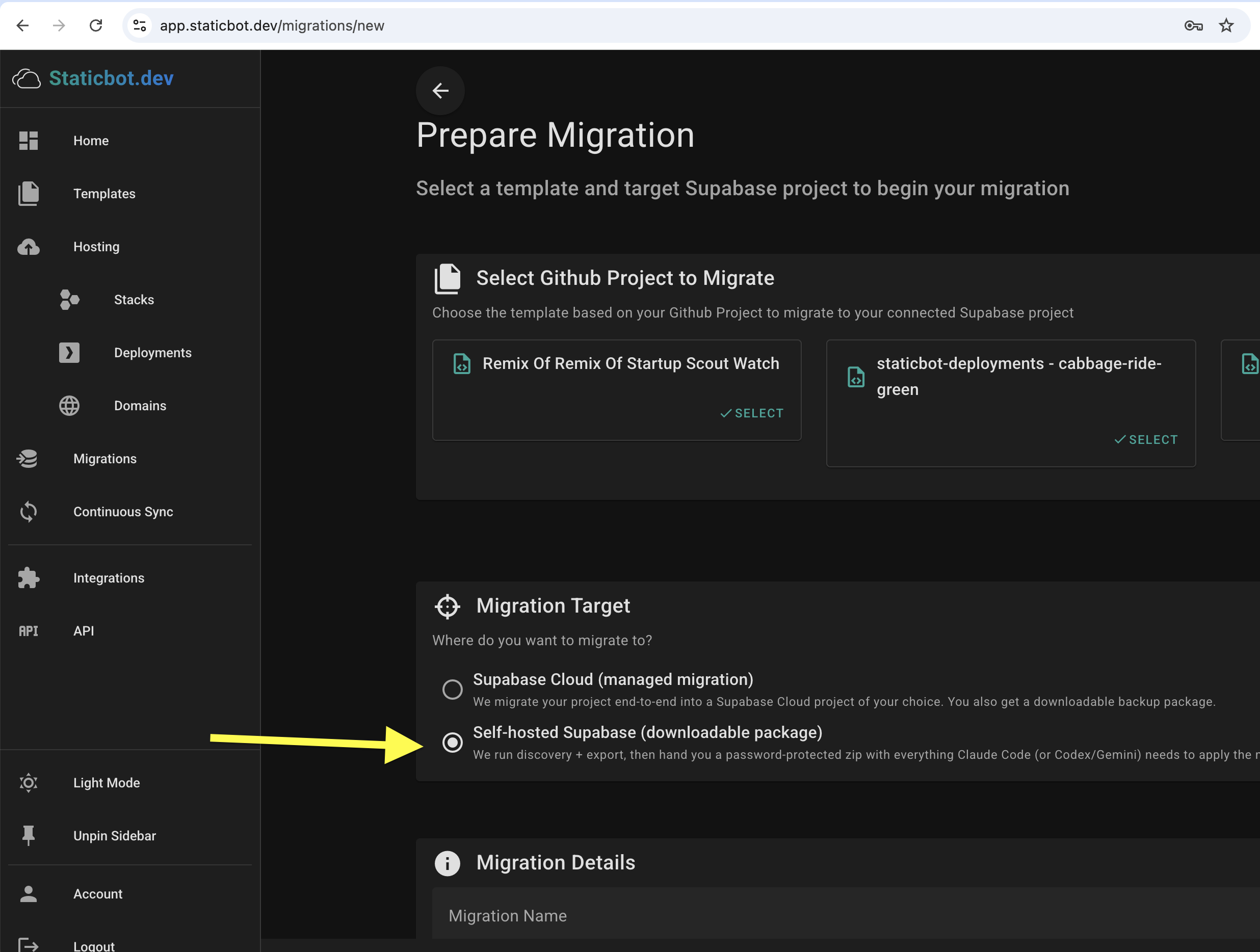
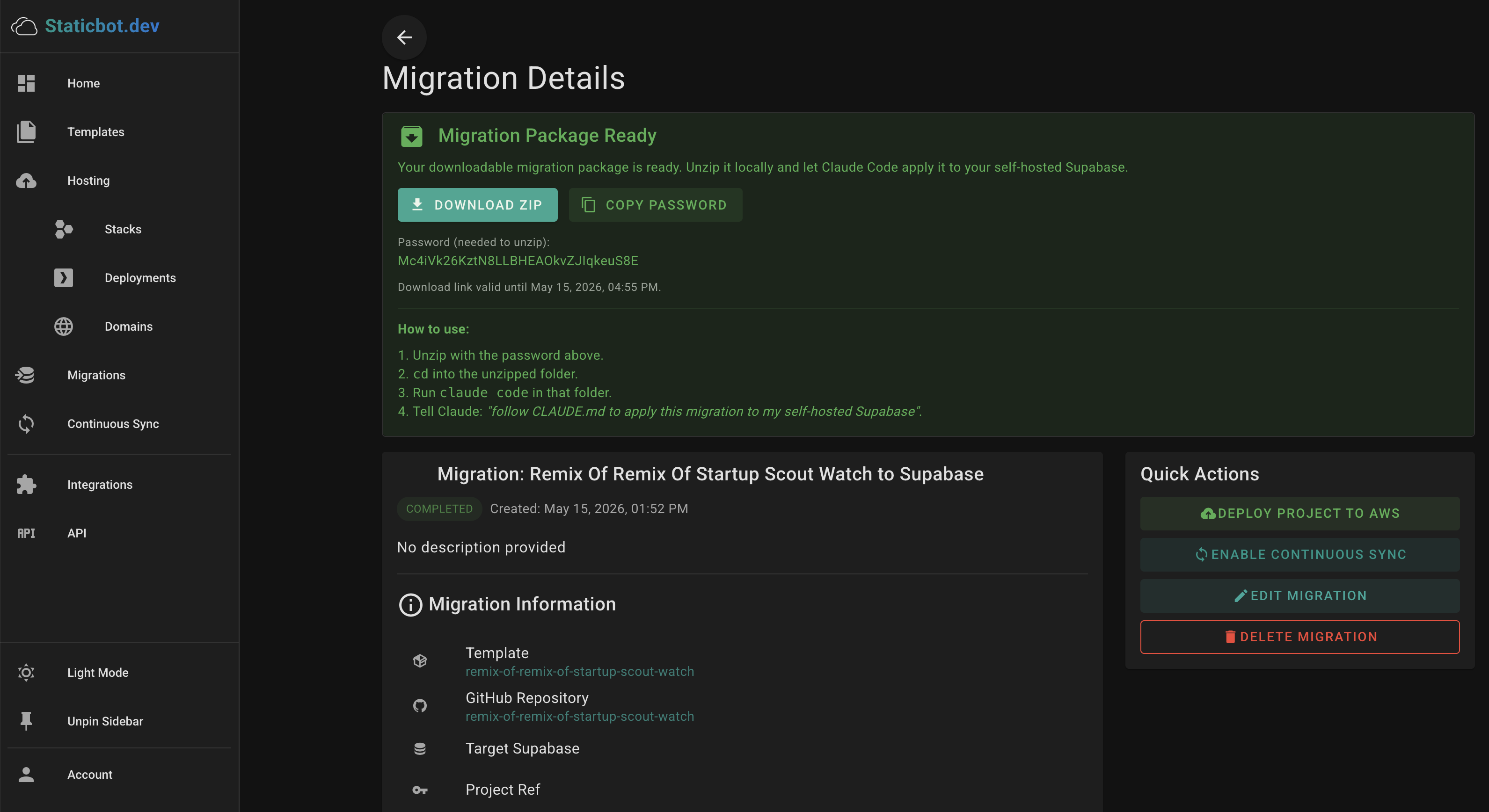
New: step-by-step walkthrough of the downloadable-package flow, with screenshots of the target picker and the "Migration Package Ready" panel — Download Your Project as a Migration Package — Apply with Claude Code.
Just want a backup? Same package, no target needed — Back Up Your Lovable Project walks through downloading schema, data, storage, edge functions, and auth as an offline ZIP you can restore later.
Migration Workflow
Set up your self-hosted Supabase
Deploy a Supabase instance on your own server using Docker Compose or Kubernetes. Staticbot can provision this for you on AWS using a pre-built template — or bring your own existing instance.
Run discovery in Staticbot
Connect your source project via OAuth and choose Self-hosted Supabase as the target. Staticbot runs discovery and exports your schema, data, edge functions, storage, secrets, auth identities, and cron jobs.
Download the migration package
Staticbot bundles everything into an AES-256 password-protected zip — ordered SQL, edge function source, storage objects, secrets, and a generic CLAUDE.md with apply instructions. The password is shown on your dashboard.
Apply with Claude Code
Unzip locally, open the folder in Claude Code, and let Claude follow the manifest — running SQL via psql, deploying edge functions via the Supabase CLI, and uploading storage objects to your self-hosted instance.
What gets migrated
- Database schema & data
- Edge Functions
- Storage buckets & policies
- Auth config & OAuth identities
- Vault secrets & env vars
- RLS policies & triggers
Why self-host?
- Data sovereigntyYour data stays on your servers in your region. Meet GDPR, HIPAA, or internal compliance requirements.
- No platform feesPay only for your cloud compute. No per-project or per-seat charges from Supabase.
- Full customizationInstall any PostgreSQL extension, tune configs, add custom auth providers, or modify the stack.
- No vendor lock-inSupabase is open source. You own the infrastructure and can migrate or modify it at any time.