
Back Up Your Lovable Project — Download Everything in One ZIP
Schema, table data, edge functions, storage files, auth users, OAuth identities, secrets, cron jobs. Password-protected. Restorable to any Supabase — managed or self-hosted. Two clicks from your Staticbot dashboard.
If Lovable changes pricing
Your data lives in Lovable Cloud's Supabase. A real offline copy means a pricing shock doesn't strand you.
If you lose access
Locked-out accounts, deleted projects, account suspensions — backups exist precisely for the days you can't get into the dashboard.
If you want a real offline copy
"It's in our GitHub repo" only covers the code. The database, storage files, and auth users are not in your repo — without a backup, they're gone if the source disappears.
How it works — three steps
Connect your Lovable GitHub repo
Sign in to app.staticbot.dev and import the GitHub repo Lovable created for your project. Staticbot scans the repo and creates a Template — detecting your Supabase project, edge functions, env vars, and frontend builder automatically.
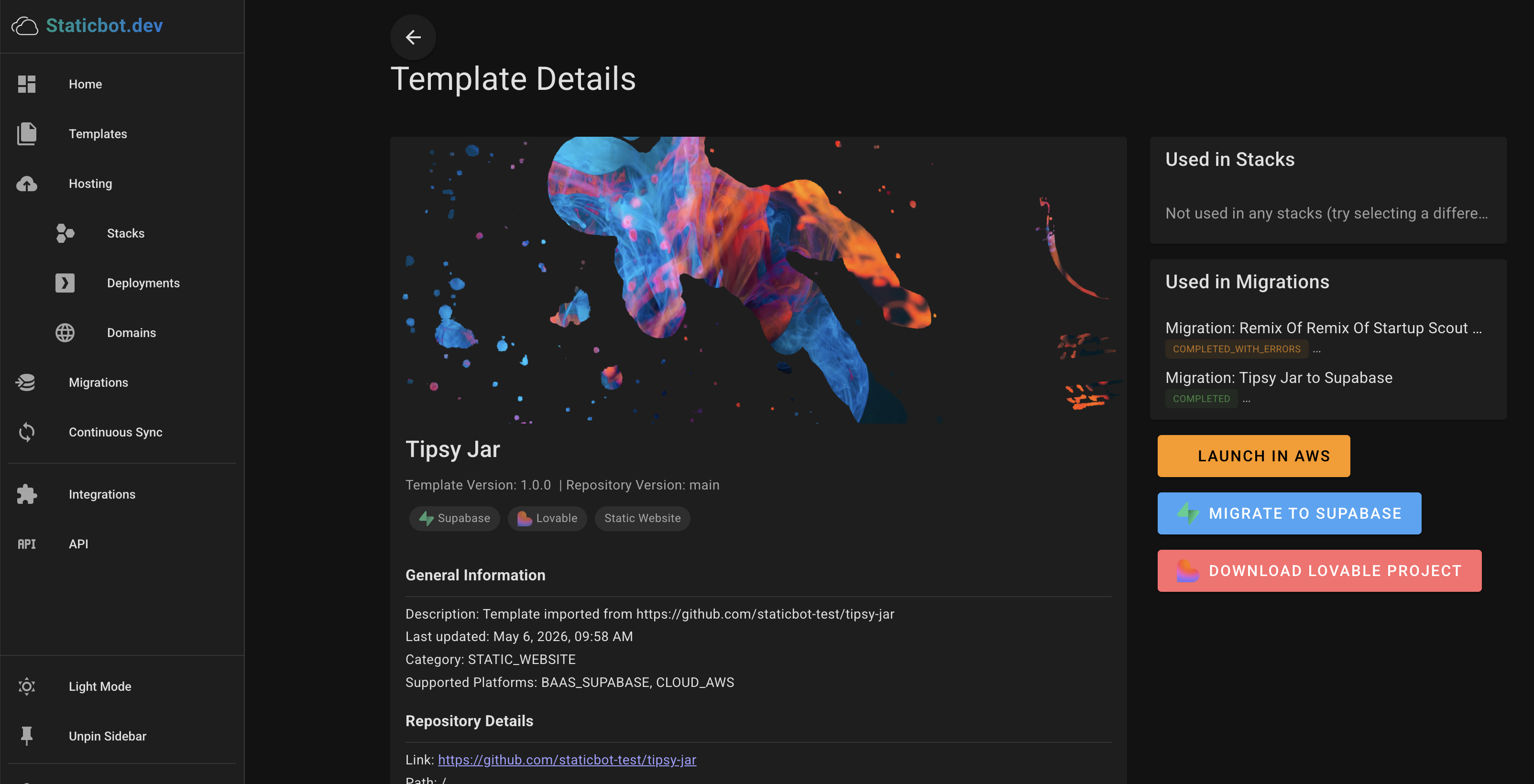
Click "Download Lovable Project" on the Template page
On the Template Details page, you'll see a Download Lovable Project button. It kicks off Staticbot's discovery + export pipeline — exactly the same first half of the migration flow, but instead of writing into a live target, the output gets bundled into a downloadable ZIP.
Grab the password-protected ZIP
When the package is ready, the migration details page shows a download link and a one-time unzip password. The ZIP is AES-256 encrypted — store it wherever you keep backups (S3 with versioning, an external drive, your password manager's secure file storage).
What's in the backup
Ordered SQL migrations
Full schema — tables, RLS policies, indexes, triggers, dependency-ordered DDL.
Table data
All rows from your source Supabase, exported in foreign-key-safe order.
Storage buckets + files
Bucket definitions and the actual file contents.
Edge function source
Every Deno edge function from your source project.
Auth users + OAuth identities
Email/password users plus Google, GitHub, Apple identity records.
Secrets + cron jobs
Vault secrets, env vars, and pg_cron scheduled jobs.
What's not in the backup
Worth knowing up front — these are out of scope and need to be handled separately:
OAuth provider client secrets
Supabase's Management API doesn't expose them. The identity records are backed up, but provider config (Client ID, Client Secret, redirect URLs) has to be re-entered when you restore.
Lovable AI chat history
The prompt/response history inside Lovable lives in Lovable, not in your Supabase. Use Lovable's own export if you need it.
Frontend build artifacts
The source code is already in your GitHub repo — backing it up there is enough. The ZIP focuses on the backend (Supabase) side.
Things that aren't in your source Supabase
If a piece of state lives only in Lovable's own infrastructure (not in your Supabase project), it isn't in the backup.
Restoring the backup
The ZIP isn't just a tarball — it ships with a generic CLAUDE.md apply script. Restoring means:
unzip -P "<password>" lovable-backup.zip
cd lovable-backup
claude code

> follow CLAUDE.md to apply this backup to my Supabase
Claude Code (or Codex/Gemini) reads the manifest, asks for your target Supabase credentials, and replays everything against a fresh Supabase — managed or self-hosted, doesn't matter. For a longer technical walkthrough of the apply step, see Download Your Project as a Migration Package.
FAQ
Back up your Lovable project now
Connect the GitHub repo, click Download Lovable Project, save the ZIP. Five minutes, no card, free for any project size.