
GoDaddy Websites + Marketing, not WordPress or cPanel hosting
Move your GoDaddy website to Staticbot
Bring customer-owned content and available product exports from GoDaddy Websites + Marketing. Staticbot will inspect the package and help prepare an independent website.
Platform instructions checked October 16, 2026. Controls and plan availability can change.
Owned content and product CSV · rebuild required
What you can bring across
Your own text and media, plus a product CSV if you use the online store. There is no documented Websites + Marketing HTML export to deploy on Staticbot.
Bring the files you have in one ZIP, or use your existing Git repository. Staticbot will inspect the inputs and request a review. You do not need to rebuild the website before submitting it.
Before you start
- Access to the correct Websites + Marketing site and copies of the content you own.
- An inventory of appointments, shop products, forms, marketing integrations, domain records and email services.
Bring the files you already have
Confirm the product if you can
This guide covers GoDaddy Websites + Marketing. Include that name and your site URL in a short note. Domain registration, WordPress and cPanel are separate products with different migration paths.
Collect the content you own
Include available original photos, logos, downloads and page text, plus any saved files you already have. GoDaddy restricts transfer of the compiled Websites + Marketing site. Do not rebuild the site or copy a proprietary theme before contacting us.
Export the product catalogue where needed
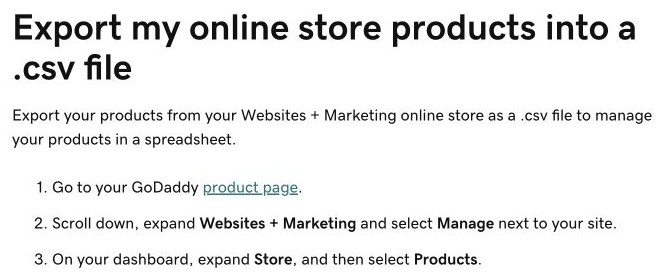
From your GoDaddy product page, choose Manage for the site. In the dashboard, open Store > Products, then Import/Export > Export. Select the products, start the export and save the CSV sent by email.
Put the files and notes together
Include the product CSV with your images and other content in one ZIP, or add it to your existing repository. Tell us about appointments, checkout, forms and any missing material. A CSV is useful input even though it is not a working shop.
Submit the package in Staticbot
Use Upload your project for an archive or the Git import form for a repository. Staticbot inventories the files and requests review. Our team will help prepare an independent site from the material you can reuse, and identify replacements for hosted services.
Features to review before moving
- A product CSV is not an HTML website and Staticbot does not turn it into a shop automatically.
- GoDaddy’s native appointments, checkout and marketing services are separate from static page hosting.
- Changing a domain’s DNS or transferring its registration does not migrate website content, mailboxes or customer records.
Check the preview before changing DNS
Check every page and enquiry form. If you replace a shop or booking service, verify its customer flow and notifications before launch. Confirm the domain’s email DNS records remain correct.
Keep the old account and your backups until the replacement works. You can connect a custom domain you control after testing; the provider’s own subdomain stays with the original platform.
Next: bring your files to Staticbot
Choose the separate ZIP upload or Git import form. Staticbot keeps the package and its inventory for review. Once the website is prepared, the existing hosting guides explain previewing and deployment.
Upload or import your files