
Deploy to Staticbot Managed AWS Account
This guide will walk you through deploying your site to Staticbot's managed AWS infrastructure. This is the perfect option for a hands-off experience where you don't need to manage your own cloud infrastructure.
Seamless Deployment Flow
1
Select Your Git Repository
Choose the repository you want to deploy from your connected GitHub account. Staticbot automatically detects your build settings.
2
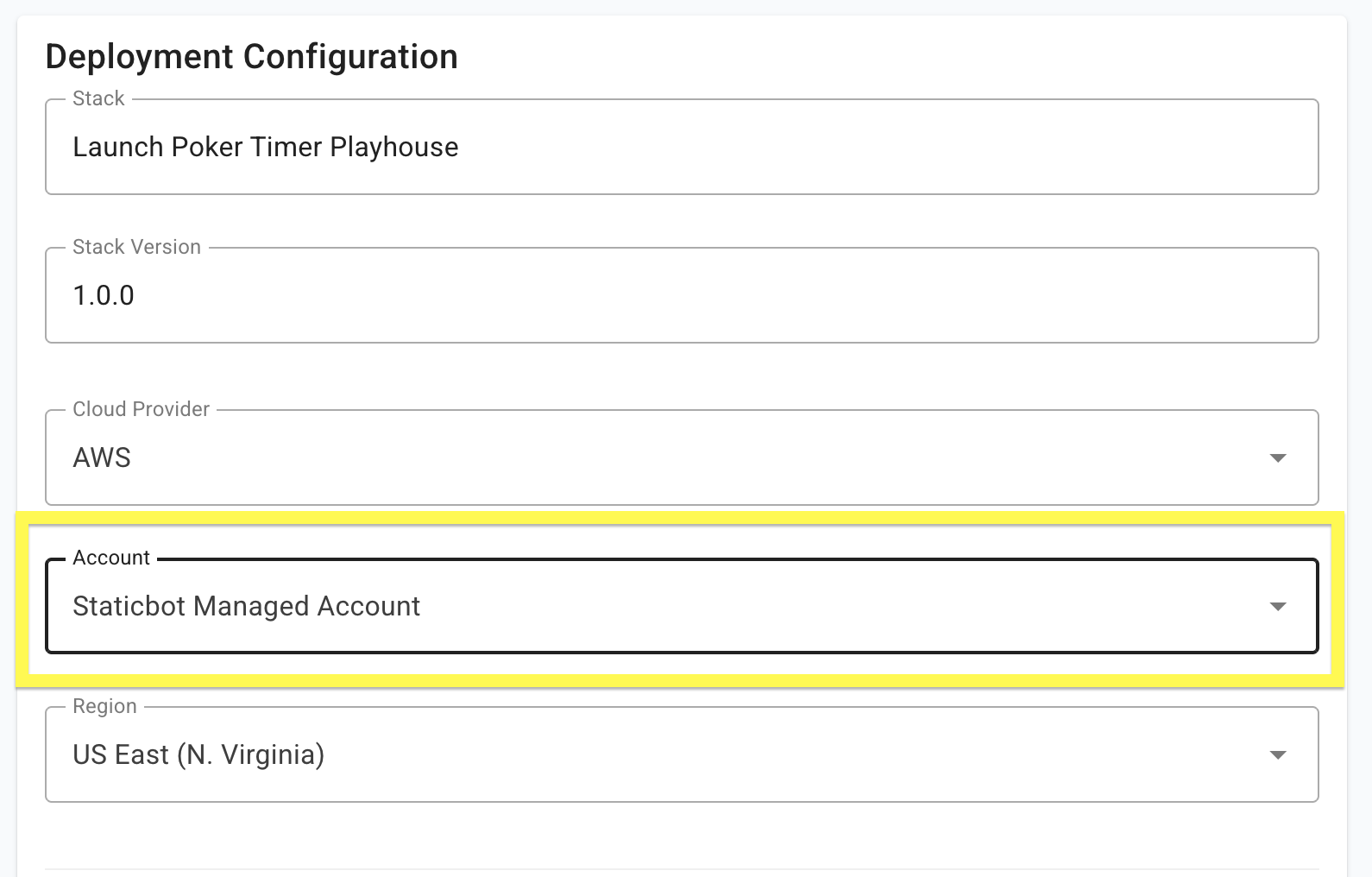
Choose "Staticbot Managed Account"
When prompted for a target AWS account, select our managed option. This enables zero-config hosting and a free frever.net subdomain.
3
Automatic Infrastructure & Rollout
Click deploy, and we handle the rest. We'll provision a secure S3 bucket and CloudFront distribution on our account and roll out your code instantly.
What's Included?
- Free frever.net Subdomain
- Automatic SSL (HTTPS)
- Global CDN Distribution
- 99.99% Uptime SLA